How Forward Layout works
You measure on the page in the quantity names your estimate already uses. The desk reads the scale. You confirm a known dimension, then export a CSV with the page on every row. Stairs and rails are one package we show. The desk measures whatever you name. You still price.
The steps are below. Who can open a Project: How work is organized (Organization, Project, Document) and who can open a Project. Same Project in the browser or a Mac or Windows app, including after the link drops: cloud sync. Two people on the same sheet: Working together. Scale on the sheet: scale detection. Related: commercial preconstruction takeoff, how to choose takeoff software, Bluebeam into Excel, scopes on a commercial bid, takeoff vs estimating, or a measure desk, not another platform.
- Step 1
Upload the set
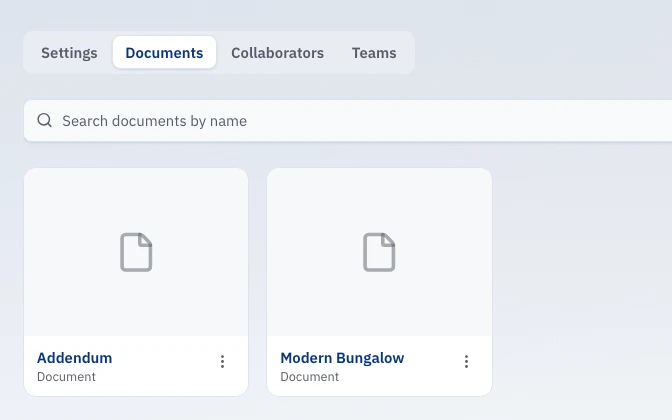
Start a Project, drop in the commercial PDF or image. Multi-page PDFs are fine. Come back when the addendum lands.
- Step 2
Calibrate
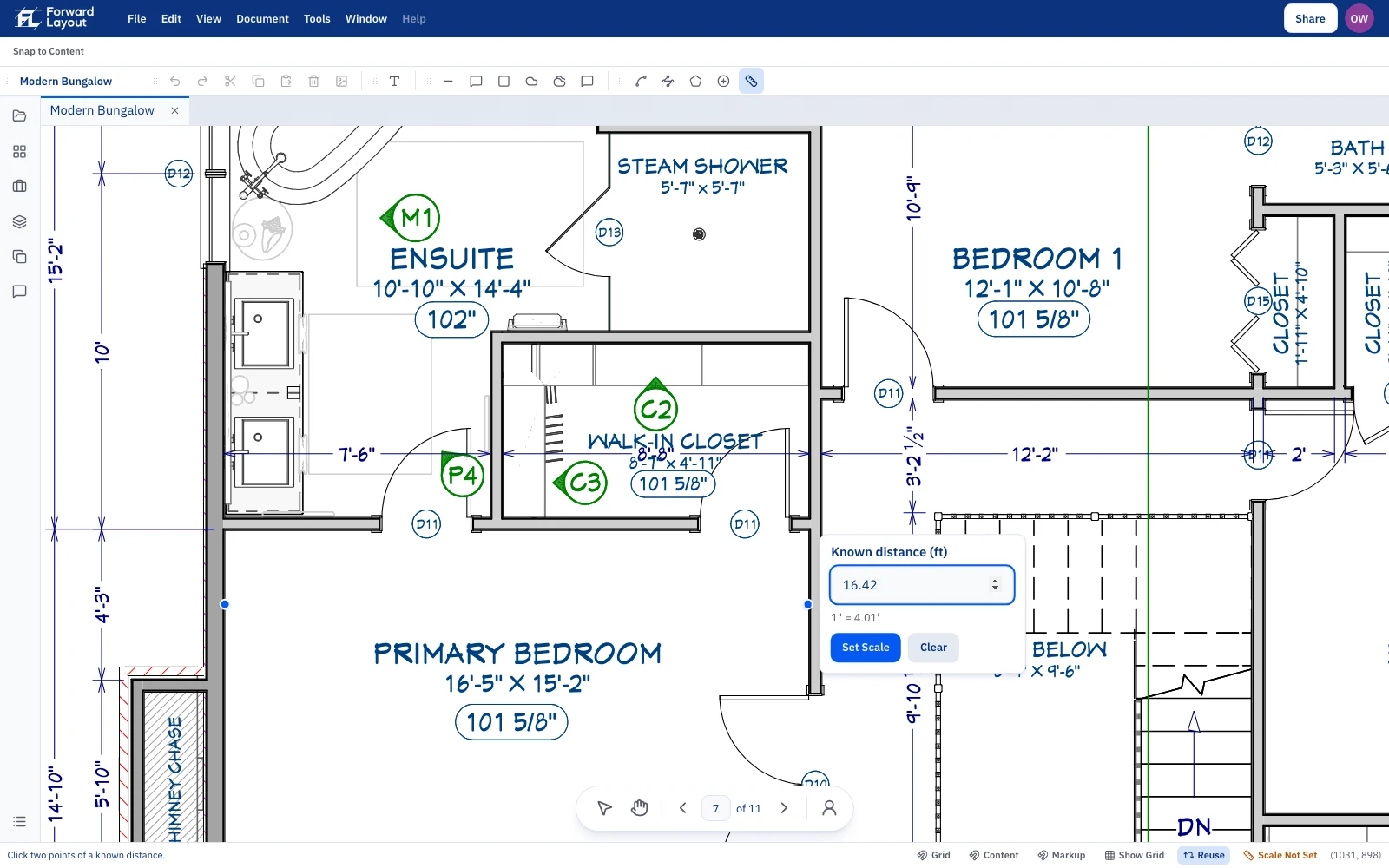
The desk reads the scale when you open the file: each AutoCAD viewport, scale text, and scale letters drawn as lines. You are not typing 1/4″ = 1′-0″ on every sheet. Confirm two ends of a known length. Skip that check and every LF can look precise and still be wrong.
- Step 3
Measure and count
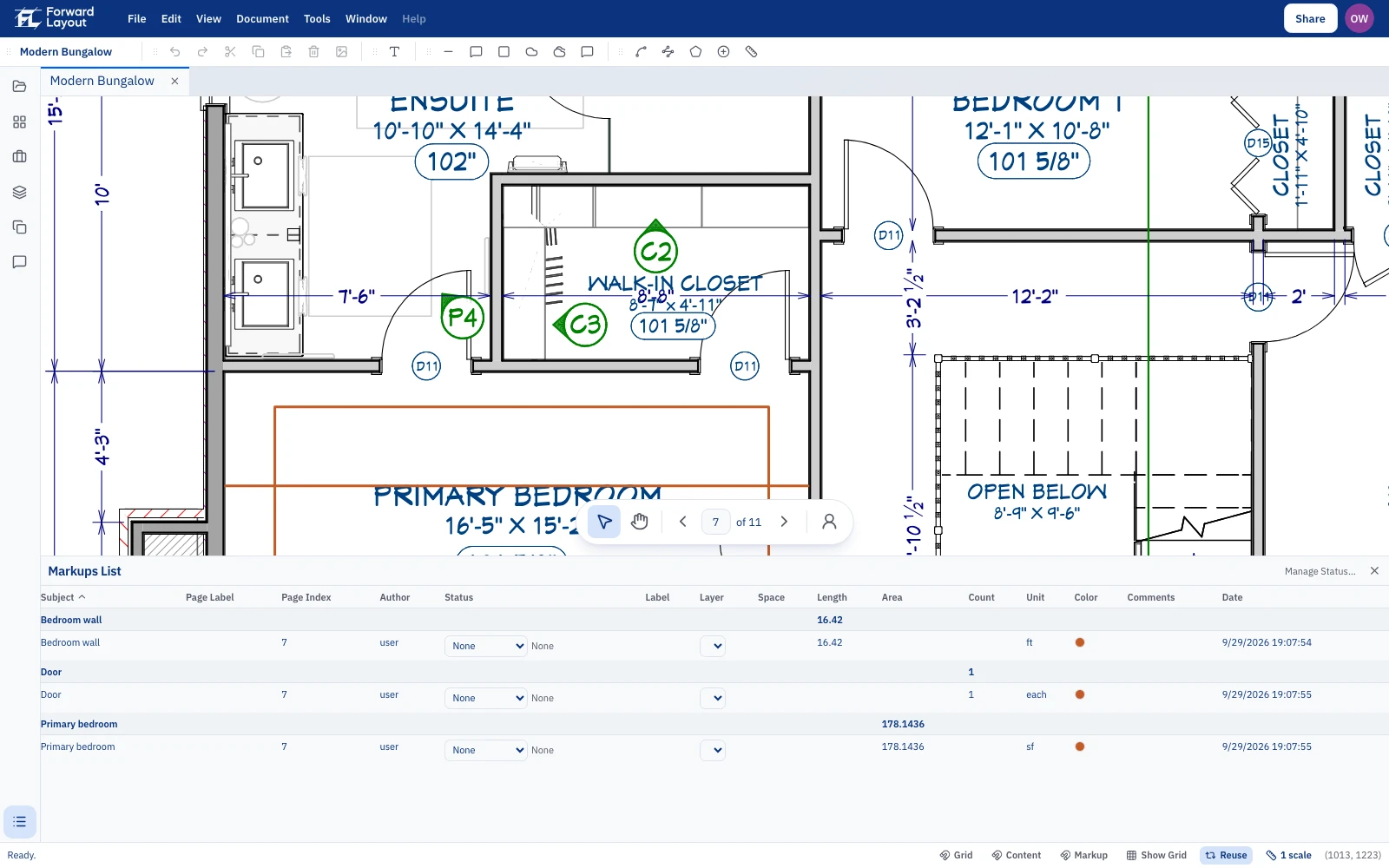
Length, Polylength, Count, and Area on the page. You name the Subject to the line already in your estimate: a slab, a stud wall, a door count, or a rail. For stairs and rails, measure the guardrail and the handrail separately (one keeps people from falling, the other helps them walk the stair), then count posts and flights. Watch returns, mid-landings, and the side that only shows as typical. You are looking at the page. We do the length math.
- Step 4
Export the qty sheet
Item, qty, unit, page, note. CSV you drop into the bid template you already use. You do not have to copy totals out of the Markups List just to start pricing. Dollars stay in your shop.
Why bother with this loop
Wrong scale and every LF can look sharp and still be wrong. No page ref and you cannot answer the PM. A tool that prices the job is solving a different problem than getting quantities out while the set is still warm. Finish the quantities first. Load rates after. That is how you bid more without hiring another estimator, and without guessing quantities at the end of the day.
The desk finds the callouts, including viewports and letters drawn as lines: scale detection. More on why you still confirm a known dimension: scale calibration. Measuring the set: quantities on a commercial set. Whether a model should do this: does AI takeoff work. Bookshelf: references.
Straight answers
- Does this replace Bluebeam?
- No. Bluebeam is a solid markup desk. A lot of shops still retype markup totals into Excel to finish the quote. We keep scale honest and export a CSV with page refs. Keep Revu if that is your workflow. This desk is for when that retype is the slow part.
- Does it set my price?
- No. You get quantities. Overhead, labor, material, finish, profit stay with you. That's how you keep costs honest. We do not invent a dollar.
- What can I take off?
- Length, Polylength, Count, and Area on the page. You name the Subject for any trade. Stairs and rails are how we show it: guard vs handrail, posts, flights. Stringers, pans, pickets: note them or price them in your estimate for now.
- Is this AI takeoff?
- You measure on the page. Nothing auto-finds the rails. We do the scale math and the CSV so you are not retyping totals. Shop prints are not a clean demo PDF.
- Does it run on a Mac?
- Yes. Chrome on a Mac is a first-class desk (Browser desk). Same product as the Mac or Windows download. After you open a Document, it stays on that machine even offline.
- Can two people measure at once?
- Yes, if both have Edit. Open the same Project. No Session to start or Finish, no emailed PDF. You still measure; doing the takeoff is still how you learn the set. Start with Working together. This page is calibrate → measure → CSV.