Browser desk
Takeoff in the browser. Share a Project; they sign in and open without installing. Mac and Windows apps are the same desk if you prefer a native window.
You do not need a Windows install to open the takeoff.
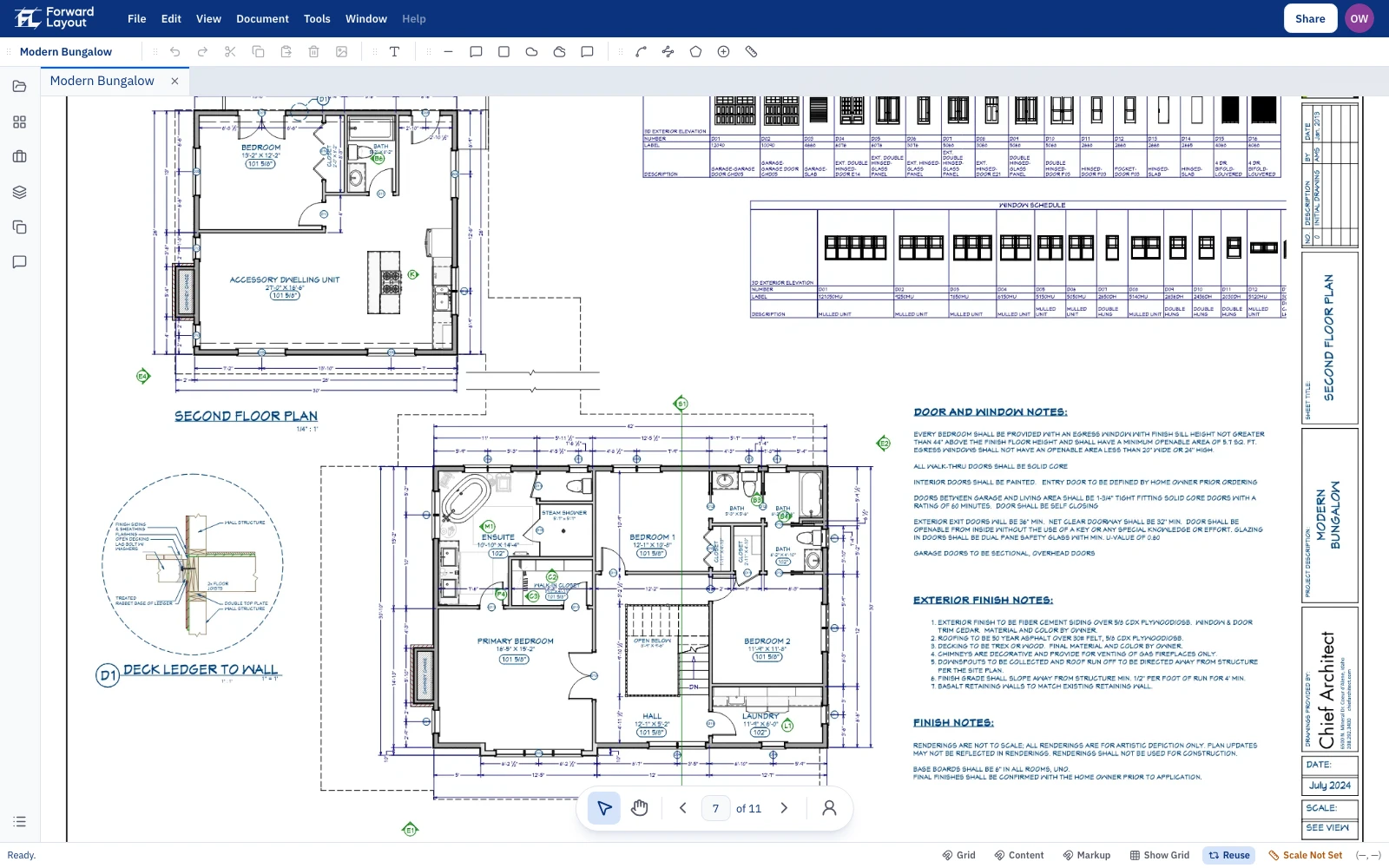
Construction markup spent a long time living in one desktop product on one PC. Sharing meant emailing a PDF, starting a Session, or teaching someone which Cloud client to open. Here the browser is a first-class desk. Chrome on a Mac is not a consolation SKU. Edge on the shop PC is not a preview. Sign in. Open the Project. Calibrate, measure Length / Polylength / Count / Area, export CSV. Same loop as how it works.
Prefer a native window? Download Mac or Windows. That is the same product, not a second family. Same login. Same markups. Cloud sync is how the Project follows you across machines either way.
Where this lives
Open forwardlayout.com (or your signed-in /app URL). Sign in. Recents and Projects are the cabinet. Open a Document. That is the live desk in the tab.
Share still names people by email: Project collaborators. Not anyone-with-the-link. After they accept, they open that Project in their browser. No install step before they can see the sheet.
Avatars, Follow, and comments need a connection. Measuring a sheet you already opened still works when the trailer link flaps: cloud sync.
Why the browser desk matters
| Benefit | What that means |
|---|---|
| No install to start | Sign in and measure. IT does not push an .msi before the second estimator can look. |
| Fast invite | Share by email. They click, sign in, open the Project. Guest or org member: Working together. |
| Same product everywhere | Browser, Mac, Windows. Not Revu-plus-Cloud as two surfaces. |
| Mac is first-class | Chrome on a Mac is the desk. You are not renting a Windows VM to click Length. |
| Trailer Chromebook | Sign in on whatever machine is in front of you. Recents fills in as you open sheets here. |
| Revoke is access, not a folder | Remove the grant. They lose the Project. Details: Project access. |
Shop still prices. Stairs and rails are how we show the package. The desk is a general measure tool.
Browser vs installed app
Both are the live Project. Pick the shell you want.
| Browser | Mac / Windows app | |
|---|---|---|
| What it is | The desk in Chrome, Edge, or another modern browser | The same desk in a native window |
| Best when | You want zero install, a guest jump-in, a machine that is not “yours” | You want a dock icon, an OS window, the habit of an installed app |
| Login | Same account | Same account |
| Projects and markups | Same | Same |
| Offline after a visit | Yes, same contract | Yes, same contract |
| First open of a new PDF | Needs a connection | Needs a connection |
| Presence / Follow / comments | Online | Online |
There is no thinner “web only” feature set. If a button exists in the app, it exists in the browser (and the reverse), for the product you have today. Phone and tablet as a thinner layout are later.
How someone jumps in without installing
- You Share the Project (or they already inherit as an org member).
- They get the invite by email. Pending invites last seven days.
- They sign in as themselves. You do not mint their login.
- They open the Project in the browser. No download required.
- Give the least role that fits: View to read, Comment, Edit to measure. Roles.
- When the bid is over, revoke. Hand them the CSV if they still need quantities.
Outside estimator or GC’s PM: prefer a guest on this Project, not the company directory. Two setups with a client: Working together.
When to download anyway
Install when you want it, not because the browser is incomplete.
- You live on one shop PC and like a native window.
- You want the app pinned next to everything else you open every morning.
- Cold trailer machine where a bookmark is easy, and a dock icon is easier.
First desktop launch still connects once so that machine can hold the desk. After that, offline rules match the browser: cloud sync.
Pick the next page
| Your question | Open this |
|---|---|
| Install Mac or Windows | Download |
| Same Project on every machine? Offline after a visit? | Cloud sync |
| How people work on one Project | Working together |
| Two Edit seats measuring now | Realtime multiplayer collaboration |
| Calibrate → measure → CSV | How it works |
| Who can View or Edit | Project access · Project collaborators |
Limits
- Share is named people and Teams. Not a public link that anyone can open.
- First visit of a new PDF needs a connection so this device can hold it.
- Presence, Follow, and comments are online-only.
- Takeoff is quantities. Estimating is price.
Evaluating this
If the bake-off question is “can a second estimator open the hospital stairs without installing anything,” this page is the answer: browser desk, then Share. If the question is “is the shop PC the same Project as the laptop,” that is cloud sync. If the question is “can two people measure at once,” start at Working together.
Job A is still calibrate → measure → CSV: how it works. Prefer the native shell: download. Noun map: how work is organized. Software-choice without a 12-logo grid: choose takeoff software. Still in Revu and retyping: Bluebeam into Excel.
Straight answers
- Do I have to install software to take off?
- No. Chrome, Edge, or another modern browser is a first-class desk. Sign in, open the Project, calibrate and measure. Download is optional: the same product in a native Mac or Windows window.
- Can someone join without installing an app?
- Yes. Share them on the Project (named email, not a public link). They sign in, open the Project in the browser, and they’re on the sheet. No .dmg or .exe first.
- Is the browser a thinner Cloud SKU?
- No. Browser and desktop are the same product. Same login, same Projects, same markups. There is no Windows-only markup OS with a thinner web client beside it.
- When should I download Mac or Windows?
- When you want a native window, a dock icon, or the habit of an installed app. The measure loop is the same: how it works. Devices and offline: cloud sync.
- Does the browser work offline?
- After you open a Document while signed in, that takeoff stays on the device. Keep measuring when the trailer link fails. First visit of a new PDF, comments, Follow, and CSV export need a connection. Details: cloud sync.
- How do two people measure in the browser?
- Both open the same Project with Edit. No Session to start. Start with Working together. Simultaneous Edit: realtime multiplayer collaboration.